


Greeting Cards All Occasions
4.52.67K Reviews
App Specs
- Version
- 5.2.9
- Updated On
- License
- Free
- Downloads
- 1,000,000+
- Developer
- Appisma
- Categories
- Events
- Platform
- Android
Screenshots
 Analysis by AppCompare
When I want a greeting to feel more personal than a quick message, I look for a way to add a little thought without turning the task into a craft project. That balance is the main appeal of Greeting Cards All Occasions: it gives me a place to make a card around a photo and a message, then share it with someone. I see it as a practical option for people who want a warmer hello but do not want to start with a blank page.
A card built around your own image
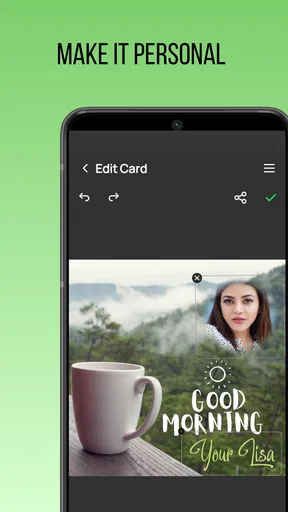
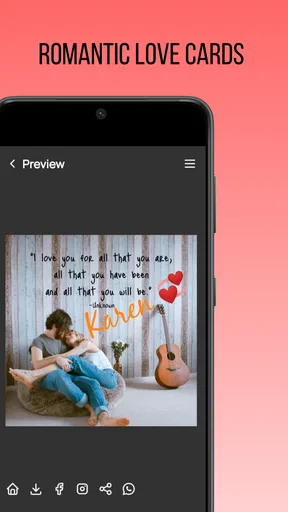
The most meaningful part of making a card here is being able to use a photo of your own. A familiar face, a shared trip, or even a snapshot from an ordinary afternoon can make a greeting feel specific to the person receiving it. That changes the task from picking a generic design to choosing an image that carries a little memory with it.
That photo-led approach is useful for birthdays, festivals, and everyday occasions, but it also asks for a small amount of judgment. I would choose an image that remains easy to see once it sits inside a card design, and keep the wording short enough to read comfortably. A busy photograph and a long message can compete for attention, so a simple image with one clear thought often feels more polished than trying to fit everything in.
Making the message feel personal
I like that the app’s purpose is straightforward: it is a greeting-card maker rather than a general photo editor or a full desktop design suite. That focus makes sense when I already know the occasion and simply want to turn a photo and a few lines into something shareable. Appisma develops it, and the app is free to install, with in-app purchases listed from $1.49 to $9.49 per item. I would explore the available choices before relying on a particular paid option for an important card.
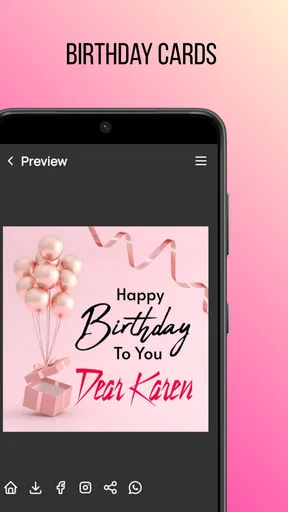
For a real-life example, imagine remembering a friend’s birthday while looking through photos from a recent get-together. I could choose one that suits the recipient, write a short note that refers to the moment, and prepare a card while the memory is fresh. That feels more considered than sending a plain birthday line, yet it avoids the time and materials involved in making a paper card by hand. It is also an easy way to send a greeting when I cannot deliver something in person.
Where it fits among the alternatives
Compared with sending a text, a card gives the message a more deliberate presentation. Compared with designing from scratch in a general graphics app, a dedicated greeting-card tool is a more focused place to start. The trade-off is that a purpose-built app may not suit someone who wants very precise control over every visual detail or who already has a favorite design workflow. If I were creating a highly formal invitation or a complex print layout, I would choose a tool built for that job instead.
I would also think about the recipient and the occasion before choosing a digital card. For someone who enjoys receiving messages on a phone, sharing a photo-based greeting is convenient. For a person who values something they can keep on a shelf, printing is the more fitting direction if it suits the card I have made. Neither approach is automatically better; the personal detail matters more than the format.
Worth Reading Before You Choose

Flipboard Shows What News Apps Must Do Beyond the Feed

Switching to Android Auto Means Rethinking Your Driving Routine

Google Calendar Makes a Crowded Week Easier to Manage

Ludo King Makes the Most of the Minutes Between Plans

Baby Panda World Brings Quick Play to Modern Phones, but Its Game Library Feels Busy

ESPN’s Live Game View Makes Following Close Games Easier
First Impressions
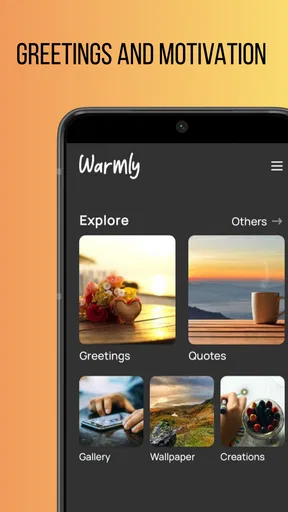
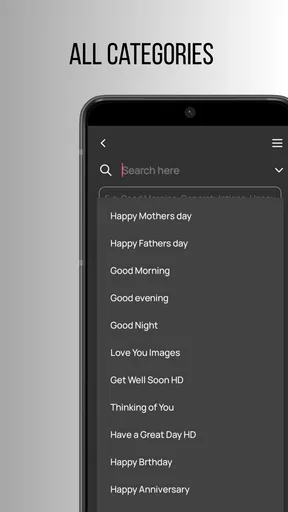
Right off the bat, the app is super easy to navigate. The design is clean, and everything feels intuitive. You won't find yourself lost in a sea of confusing menus. It's like the developers read my mind and knew exactly what I wanted in a greeting card app. All the categories are neatly organized, making it a breeze to find exactly what you need.
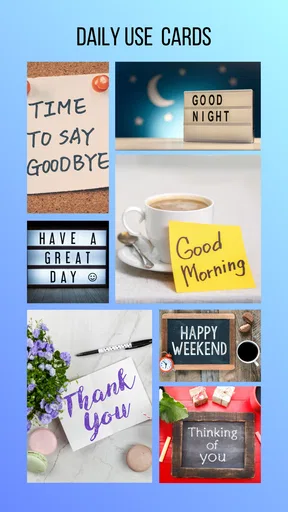
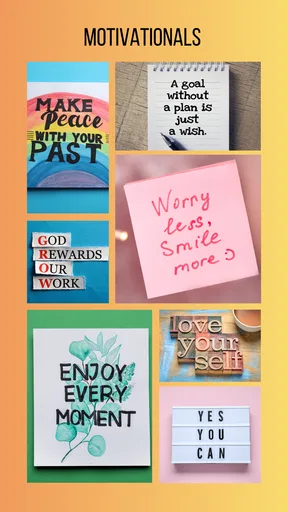
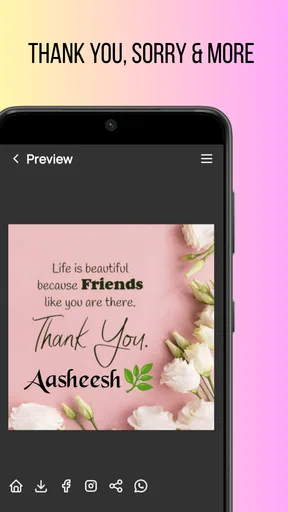
One of the first things I noticed was the vast array of categories. Whether you're looking for birthday wishes, thank you notes, or something for a special holiday, Greeting Cards All Occasions has you covered. It even includes some quirky options for those unique situations—like National Pizza Day (yes, it's a thing!).
Customization Galore
Now, let's talk about the customization options. I'm someone who loves putting my personal stamp on things, and this app does not disappoint. You can tweak the text, change fonts, and even add your own images. I spent a good hour just playing around with different designs, and I didn't get bored for a second.
There's also a cool feature where you can add stickers and embellishments. Trust me, it adds a little extra flair to your cards that your recipients will appreciate. Who doesn't love a card with a cute little penguin sticker on it?
Sharing and Sending
Once you've crafted your masterpiece, sending it out is as easy as pie. You can share your cards directly through email, social media, or even print them out if you prefer the traditional route. I tested it with a few friends, and they loved receiving something so personal and thoughtful.
The app also integrates smoothly with your calendar, so you can set reminders for upcoming birthdays or anniversaries. No more last-minute panic when you realize you've forgotten Aunt Mary's birthday again!
Why You Should Try It
What I love most about this app is how it makes creating and sending cards fun and stress-free. It's perfect for anyone who wants to add a personal touch without spending hours crafting a card from scratch. Plus, with the variety of templates and customization options, you're bound to find something that suits your style.
As an Events app with a 4.5 average from around 17,000 ratings and over one million installs, it has clearly found an audience for quick, personal greetings. It is free, rated for Everyone, and its current version is 5.2.9; it first arrived on December 20, 2015. I would still treat the rating as a broad signal rather than a promise that every design or sharing route will fit my needs. The minimum Android requirement is version 5.0, which makes it accessible to a range of older devices.
Small choices that improve the result
My best practical tip is to decide on the recipient and message before browsing designs. Otherwise, it is easy to spend time comparing decorations without knowing what the card should say. I would first jot down the one detail I want the person to remember, then choose an image and layout that leave that detail room to stand out. This keeps the card from feeling like a template with a name added at the end.
For a group greeting, I would also keep the wording in a voice everyone is comfortable sending. A shared card can be convenient for a family or a small team, but a very personal image or joke may not represent the whole group. In that case, a neutral photo and a short message are safer. For a close friend, the opposite can work: a specific memory or playful reference is exactly what makes the card feel like it came from me.
Before sharing, I would give the finished design one careful review. Check that the photo is the one you intended, that the text is readable, and that the greeting suits the occasion. This quick pause matters especially when making a card in a hurry; a typo or an image chosen from the wrong moment can undercut the thought behind it. If printing, I would inspect the result with that in mind rather than assuming a screen preview will feel identical on paper.
Practical limits to keep in mind
Customization is helpful, but it does not automatically make every card original. If I use a familiar layout, a generic message, and an unrelated picture, the result may still feel routine. The app can make the process easier; the meaningful part is the detail I choose to add. I also would not expect a greeting-card app to replace a specialist image editor when I need careful retouching or exact control over a design.
There is a small decision to make around purchases, too. Since some in-app items cost extra, I would avoid building a time-sensitive card around a particular design until I know whether it is included or paid. The free starting point makes it easy to try the basic workflow, while the listed item prices give a sense of the possible spend if I want more. I would treat paid choices as optional rather than necessary for every greeting.
Sharing by email or social media is handy, but the recipient’s habits still matter. A digital card is not the same as a physical one arriving in the mail, and a person who rarely checks social platforms may miss it. If the greeting is important, I would choose a route I know the recipient uses, or print the card if that better suits them. That is a practical limitation of digital sending, not a reason to avoid it altogether.
Who will get the most from it
I think this app suits people who send greetings regularly but want more warmth than a plain text provides. It is especially useful for someone who already has a good photo to use, enjoys making small visual choices, and wants a straightforward route from idea to shareable card. It can also help when an occasion sneaks up: choosing a picture and writing a few personal words is a manageable alternative to starting a handmade card from nothing.
I would skip it if I needed a highly controlled print design, a formal invitation with exact layout requirements, or a card that had to be physically delivered through a built-in mailing service. It is also not the right pick for someone who prefers a completely ready-made greeting and has no interest in adjusting text or images. In those cases, a standard e-card service, a print-focused design program, or a store-bought card may be a better match.
My final take
What I love most about this app is how it makes creating and sending cards fun and stress-free. It's perfect for anyone who wants to add a personal touch without spending hours crafting a card from scratch. Plus, with the variety of templates and customization options, you're bound to find something that suits your style.
In conclusion, Greeting Cards All Occasions is a fantastic tool for anyone looking to make their greetings a bit more special. It's user-friendly, packed with options, and, most importantly, fun to use. Give it a try—your friends and family will thank you!
Pros
- Wide variety of card templates.
- User-friendly design interface.
- Supports personalized messages.
- Option to add photos to cards.
- Regular updates with new designs.
Cons
- Limited free features.
- In-app purchases can be pricey.
- Occasional ads interrupt use.
- Requires internet for some features.
- Customization options can be limited.
FAQs for Greeting Cards All Occasions
What features does the Greeting Cards All Occasions app offer?
Greeting Cards All Occasions provides a wide range of customizable templates for various events such as birthdays, anniversaries, holidays, and more. Users can personalize cards with custom text, images, and stickers, and share them digitally or print them. The app also includes a calendar feature to remind users of important dates.
Is the app free to use, or are there in-app purchases?
The app is free to download and offers a selection of free templates. However, there are in-app purchases available that unlock premium templates, additional customization options, and ad-free usage. Users can choose to purchase individual features or subscribe for full access.
Can I use my own photos in the greeting cards?
Yes, the app allows users to upload and incorporate their own photos into the greeting card designs. This feature enables users to create highly personalized cards by combining their images with the app’s templates and design elements, making each card unique and special.
Does the app require an internet connection to function?
An internet connection is required to download new templates and access certain features such as sharing cards via email or social media. However, once the templates are downloaded, users can create and save cards offline, making it convenient to work on designs without constant connectivity.
How easy is it to share a card created in the app?
Sharing a card is simple and straightforward. Once the card is designed, users can choose to share it directly through email, text message, or social media platforms. The app also supports exporting cards as high-resolution images or PDFs, which can be printed or sent through other means.


